
Super AdminTenant AdminEnd User
These are your personal settings in ICTPBX. You’ll find your SIP credentials, Do Not Disturb and call forwarding on PBX › My Extension. Your fax delivery email and DID are on Fax › My Fax Account. You don’t need admin access for any of it.
SIP Credentials
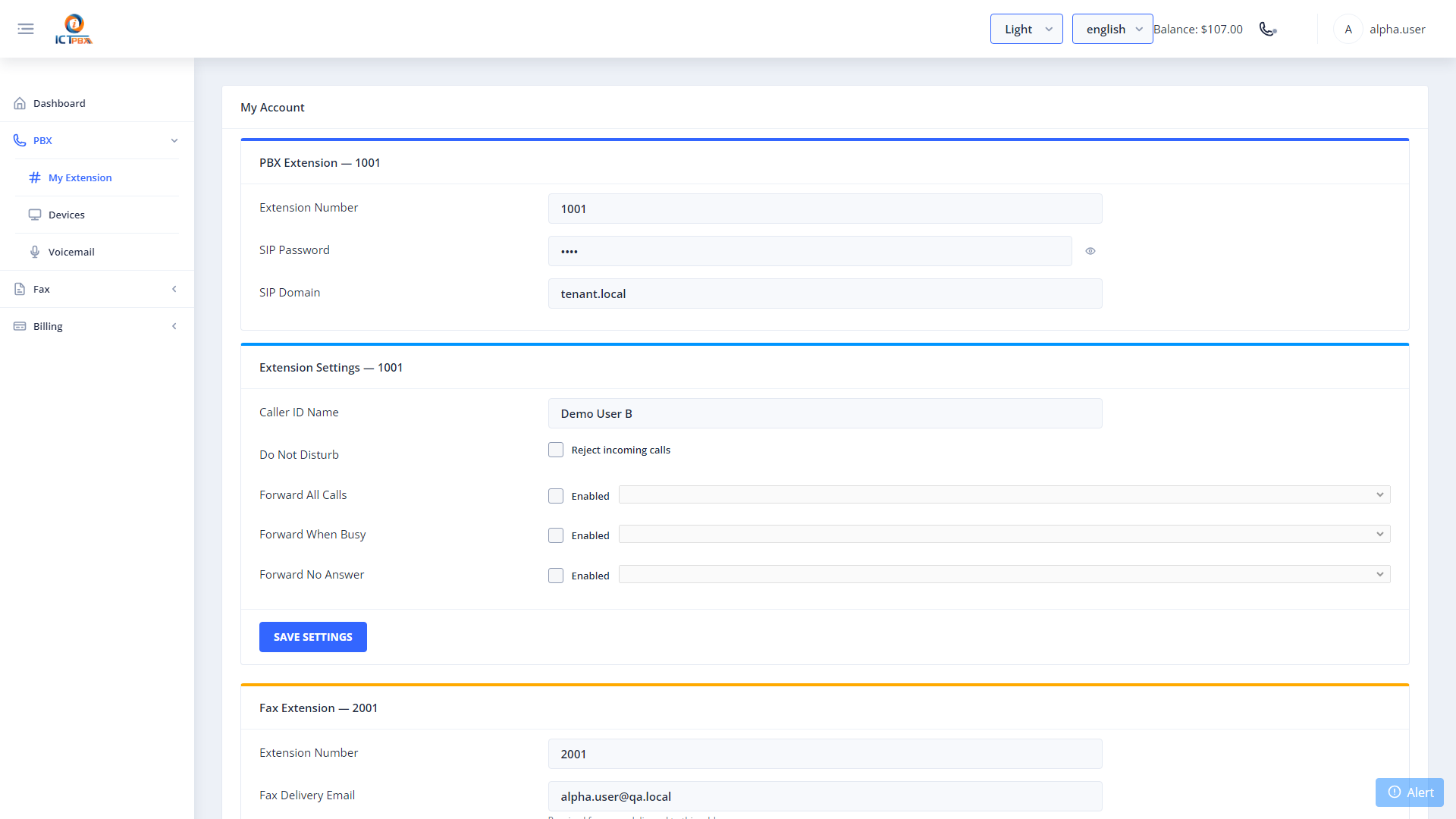
The SIP Credentials section shows everything you need to register any SIP client or desk phone with your extension:
- Extension Number – your SIP username
- SIP Password – shown with a show/hide toggle
- SIP Domain – your organisation’s SIP domain. It may differ from the portal address.
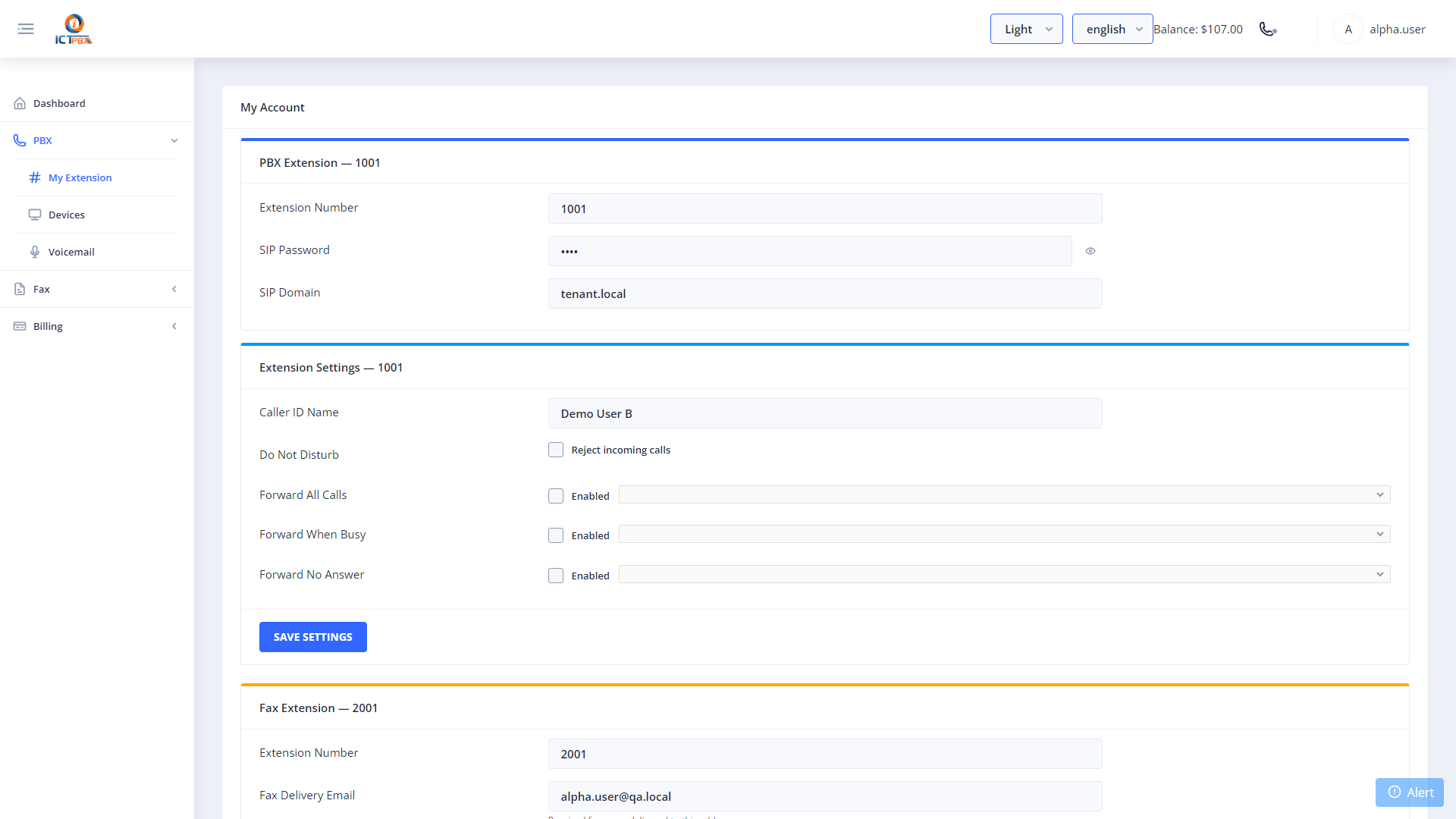
You can use these credentials with Zoiper, Linphone, desk phones or any other standard SIP client. Set Username to your extension and Password to your SIP password. Put the SIP Domain shown here in the Domain or Realm field. For Server or Outbound Proxy, use your portal hostname on port 5080.
Extension Settings
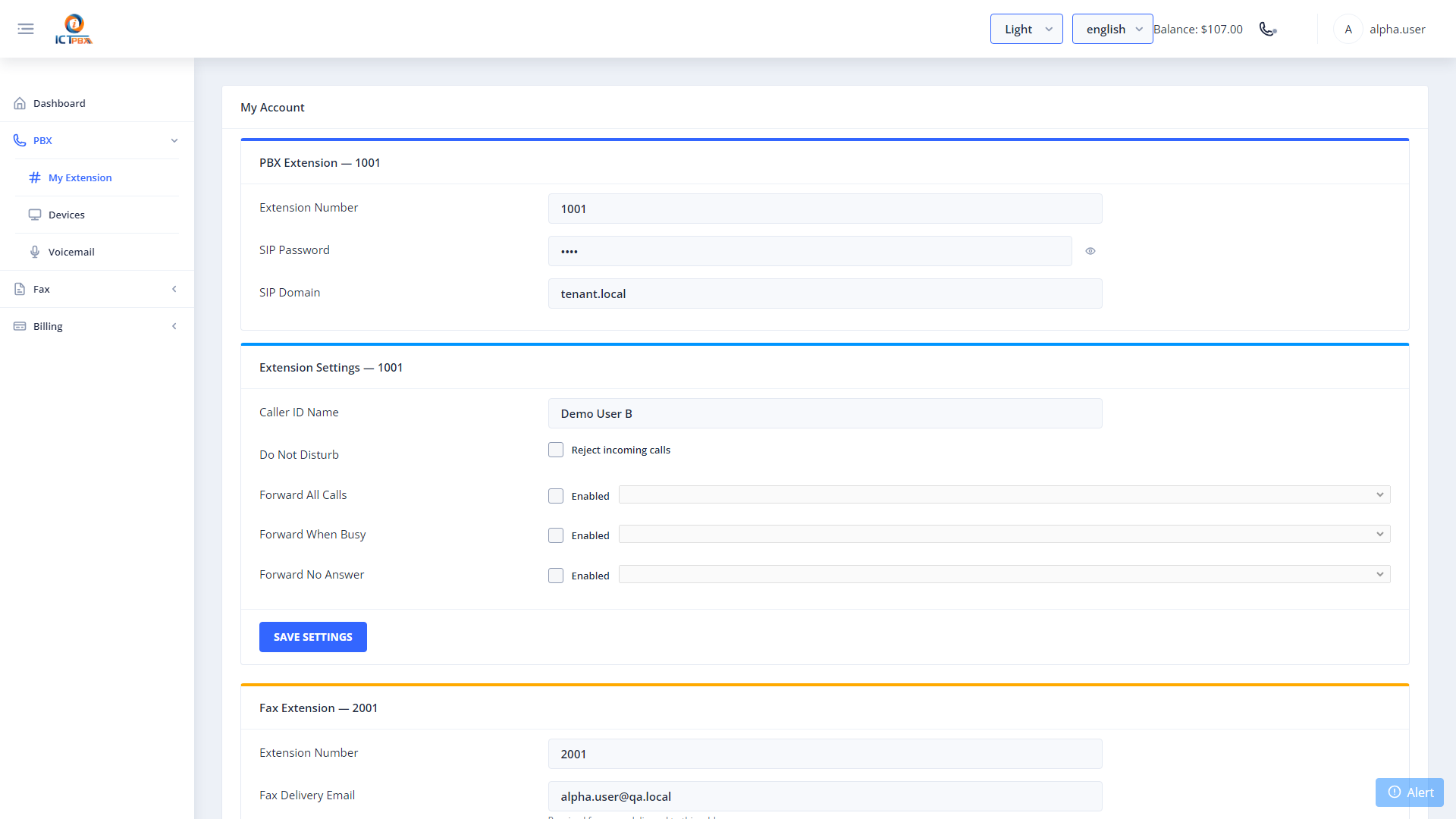
The Extension Settings section lets you control your extension’s behavior directly:
- Caller ID Name – the name people see when you call them
- Do Not Disturb (DND) – when on, all incoming calls are rejected
- Call Forwarding – there are three rules: Forward All Calls, Forward When Busy and Forward No Answer. For each one you want, tick Enabled and pick the target extension, then click Save.
Fax Delivery Email
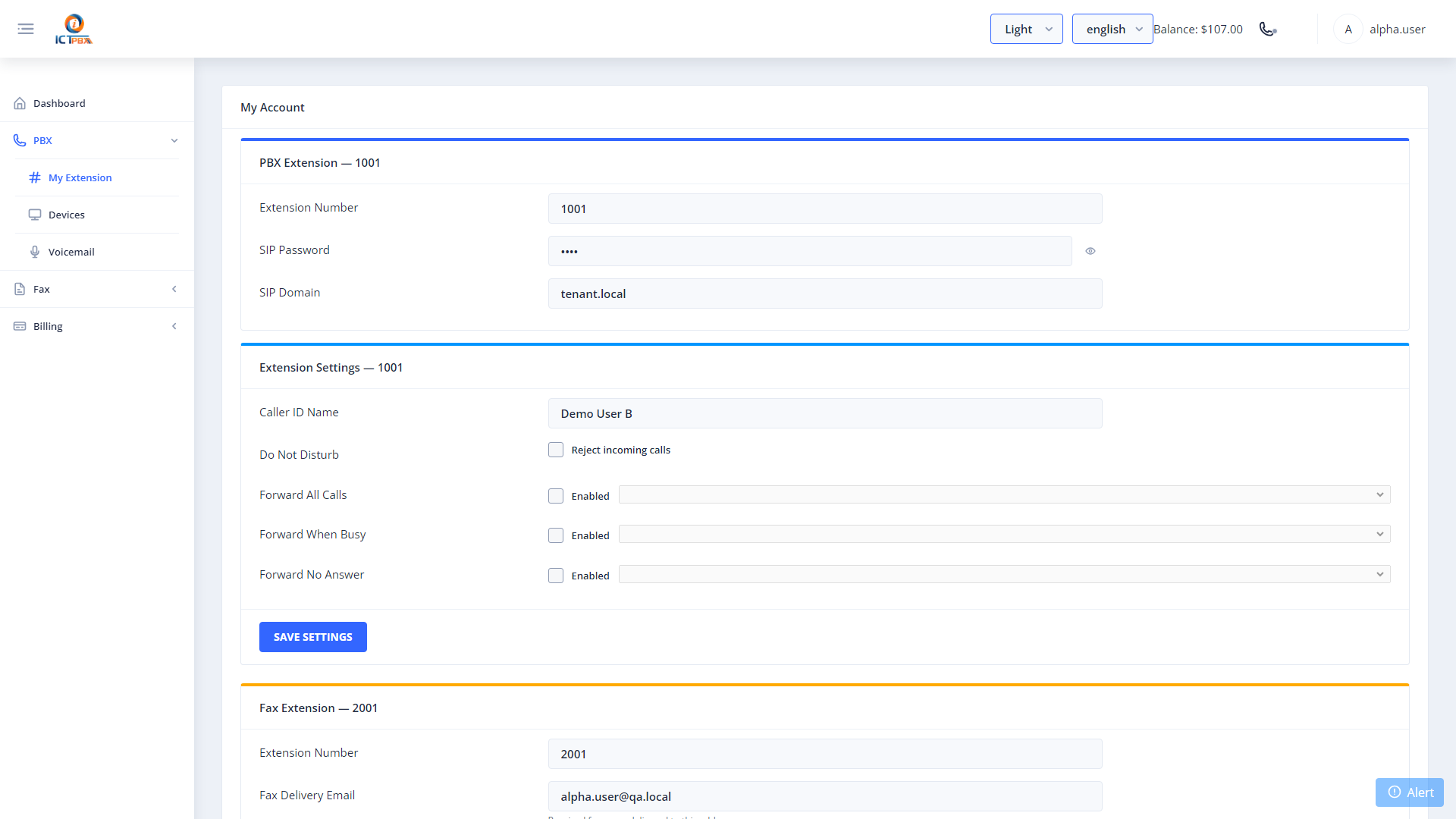
If your extension is set up to receive faxes, Fax › My Fax Account shows the email address where inbound faxes are delivered as attachments.
Related Features
- WebRTC Softphone – make calls directly in the browser using these credentials
- Follow Me – configure cascading call forwarding to multiple numbers
- Inbound Fax – learn how inbound fax delivery to your email works