
Super AdminTenant AdminEnd User
ICTPBX receives inbound faxes through FreeSWITCH’s built-in T.38 and G.711 fax stack. When a fax call arrives on a fax extension, the system emails it as an attachment to that extension’s Fax Delivery Email. You don’t need a separate fax server.
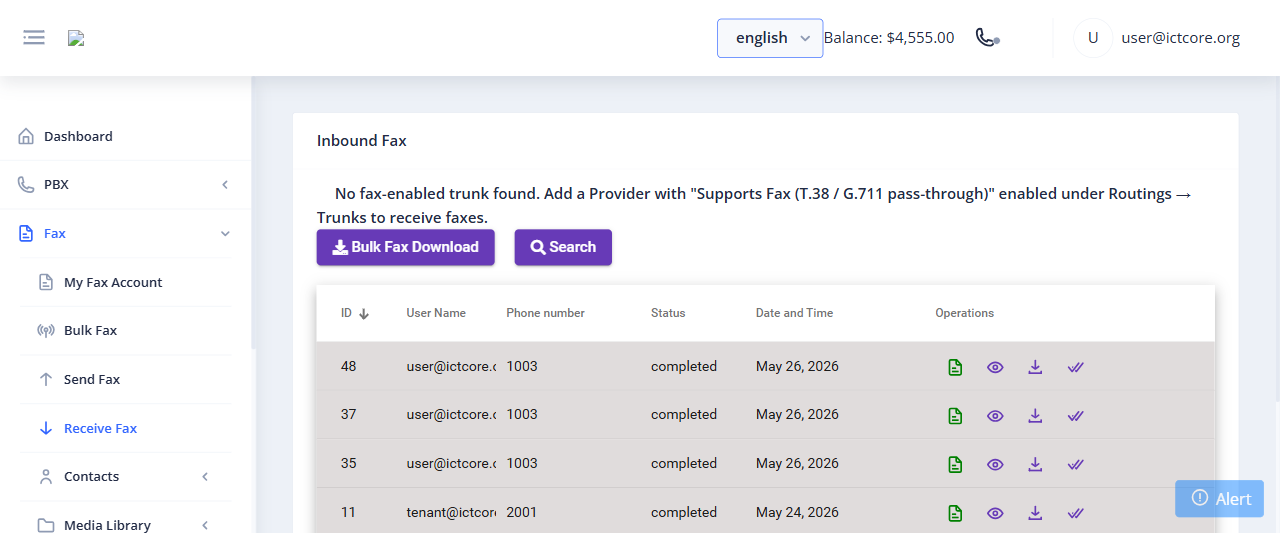
How Inbound Fax Works
- You (or your Tenant Admin) create an extension under PBX › Extensions with Extension Type set to Fax and a Fax Delivery Email
- On Fax › My DIDs, click Forward on the DID and choose Forward to Extension (your fax extension) or Fax to Email. Don’t also create a voice Inbound Route for that DID. A voice route wins, and the fax never arrives.
- When someone sends a fax to that DID, FreeSWITCH answers and receives the fax data
- The fax is emailed as an attachment to the extension’s Fax Delivery Email, or to the Fax to Email address
- The fax is listed on Fax › Receive Fax with the date, caller ID and destination number
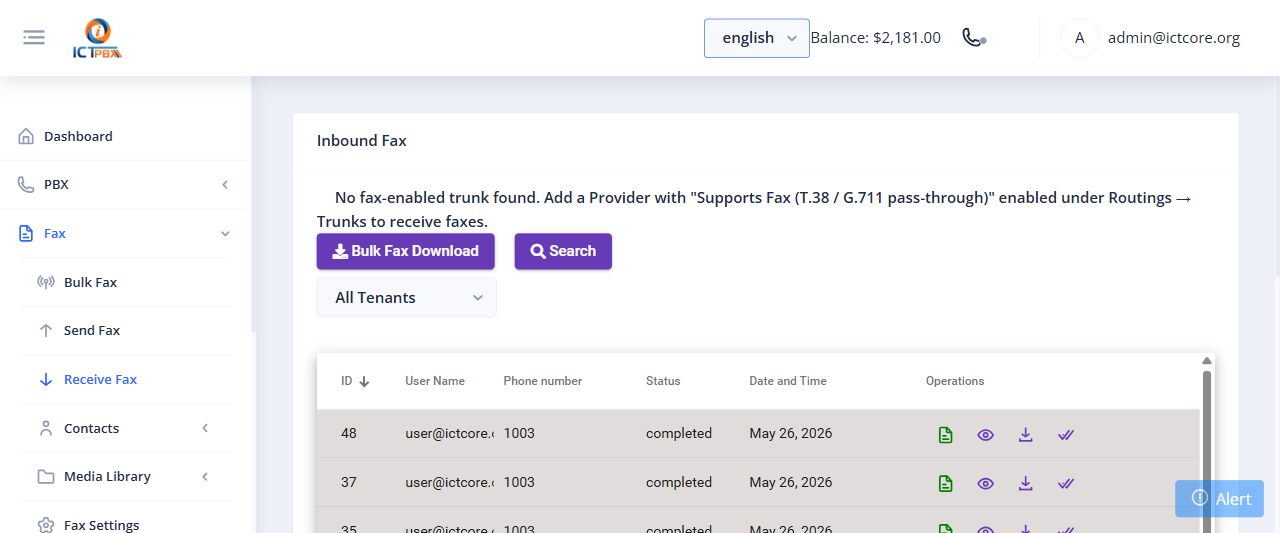
Viewing Your Received Faxes
Go to Fax › Receive Fax to see a log of inbound faxes. You can search by username or phone number, filter by date, and view or download any fax. To grab several at once, use Bulk Fax Download.
End users can see their fax delivery email on Fax › My Fax Account (see My Account). If it needs to change, a Tenant Admin updates it on the fax extension.
Setting Up Fax Delivery Email
- Go to PBX › Extensions and open the fax extension
- Find the Fax Delivery Email field
- Enter the email address where you want to receive faxes
- Click Save
Related Features
- Outbound Fax – send faxes from the portal
- Fax Settings – default cover page, email body as a page, and the retry interval
- Extensions – set the extension type to Fax to enable inbound fax delivery