
Super AdminTenant Admin
A call flow is a manual day/night switch. One number has two destinations: Open (Day) and Closed (Night). Calls go to whichever one matches the flow’s current status. For routing that follows a schedule on its own, use a Time Condition instead.
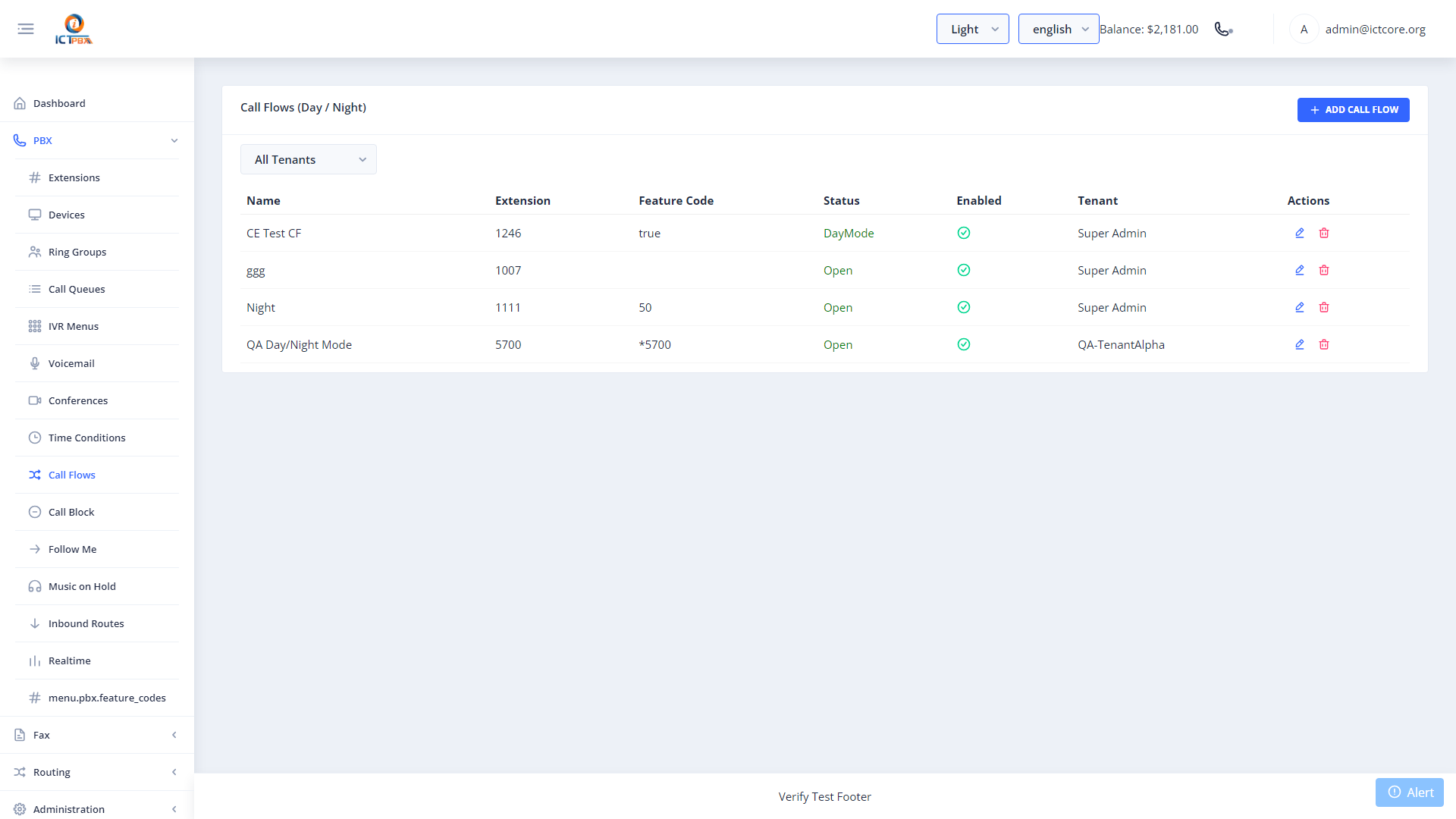
Creating a Call Flow
- Go to PBX › Call Flows
- Click Add Call Flow
- Set a name and the extension number for this flow
- Enter a Feature Code, an optional PIN, and the Current Status (Open or Closed)
- On the Open (Day) tab, set the destination, e.g. your main ring group or IVR menu
- On the Closed (Night) tab, set the destination, e.g. voicemail or an after-hours message
- Click Save
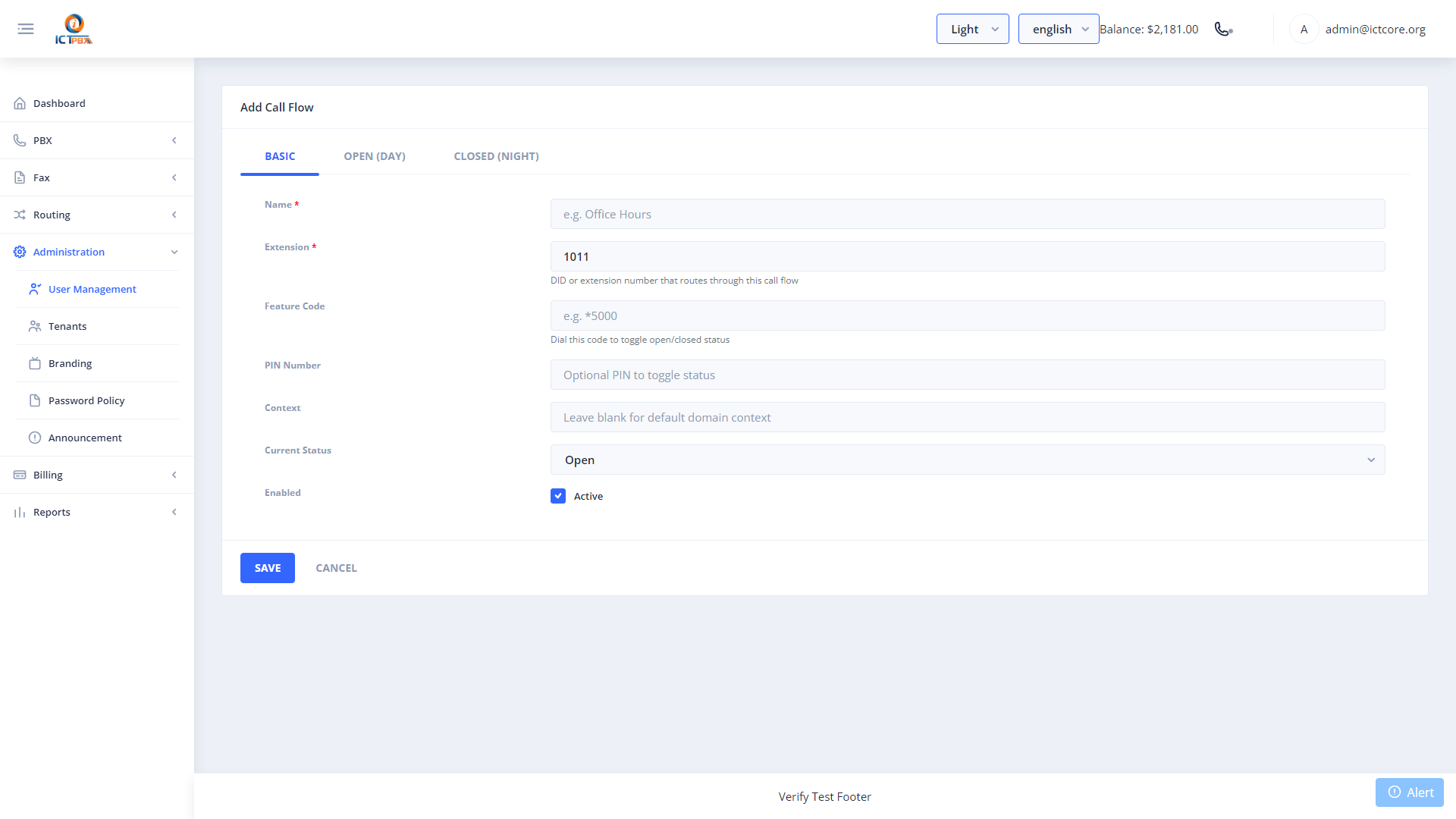
To switch a flow between open and closed, open it in the portal and change the Current Status. It’s handy for unexpected closures like snow days.
Manual Override
Each call flow has a Feature Code field, but toggling the flow by dialling that code doesn’t work at the moment. Change the Current Status in the portal instead.
Related Features
- Time Conditions – automatic routing by time of day and day of week
- Inbound Routes – send a DID to an IVR menu option that leads to this call flow
- Feature Codes – the read-only list of dial codes