
Super AdminTenant AdminAgentEnd User
ICTPBX includes a built-in billing engine that tracks your resource usage, enforces package limits, deducts credit for calls and faxes above your free-tier quota, and shows you a live dashboard of what you’ve used and what you have left.
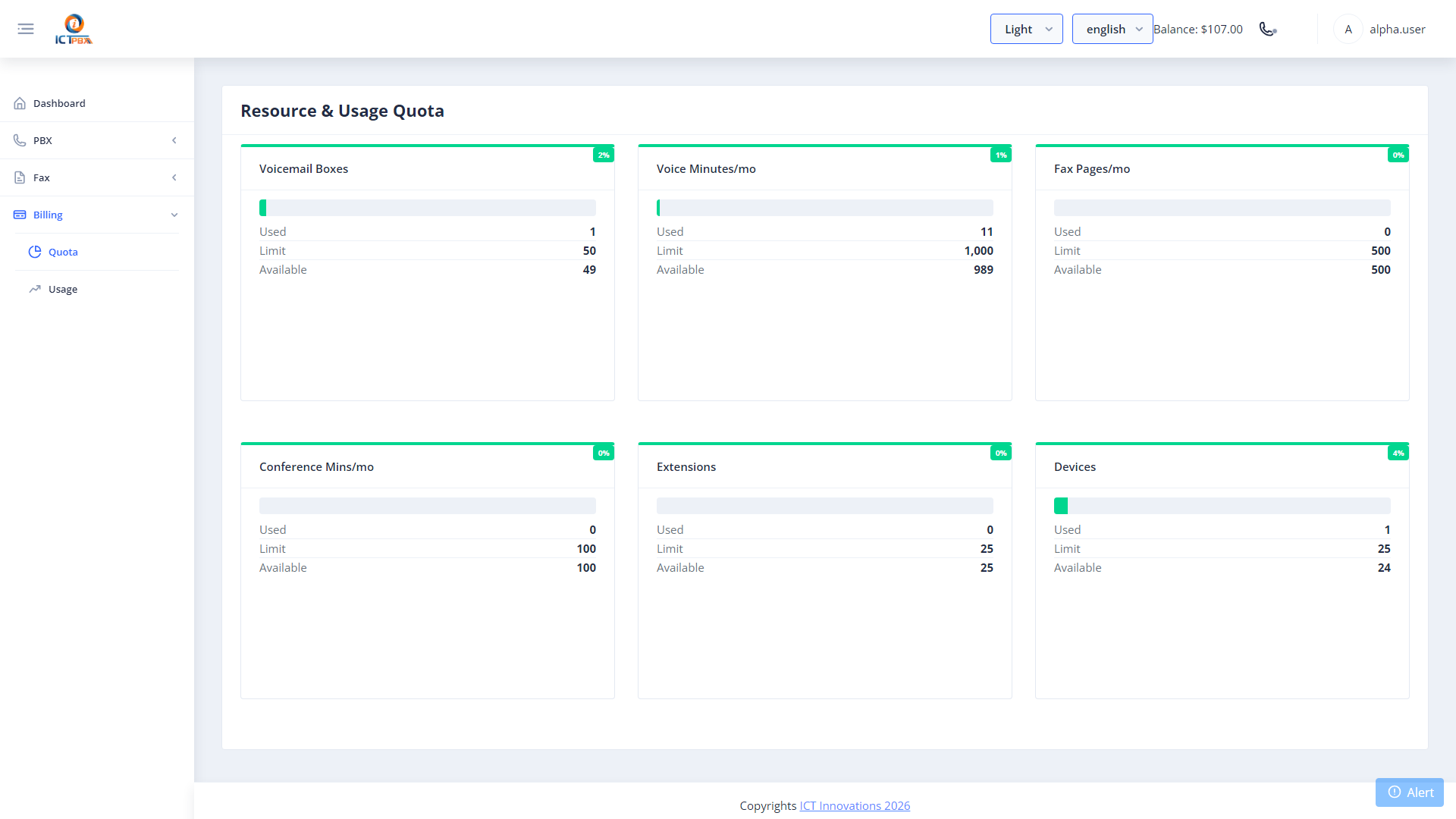
Checking Your Usage
Go to Billing › Quota to see your usage dashboard. Each resource type (extensions, devices, ring groups, call queues, voice minutes, fax pages) shows a clearly labeled card with your current usage and your package limit.
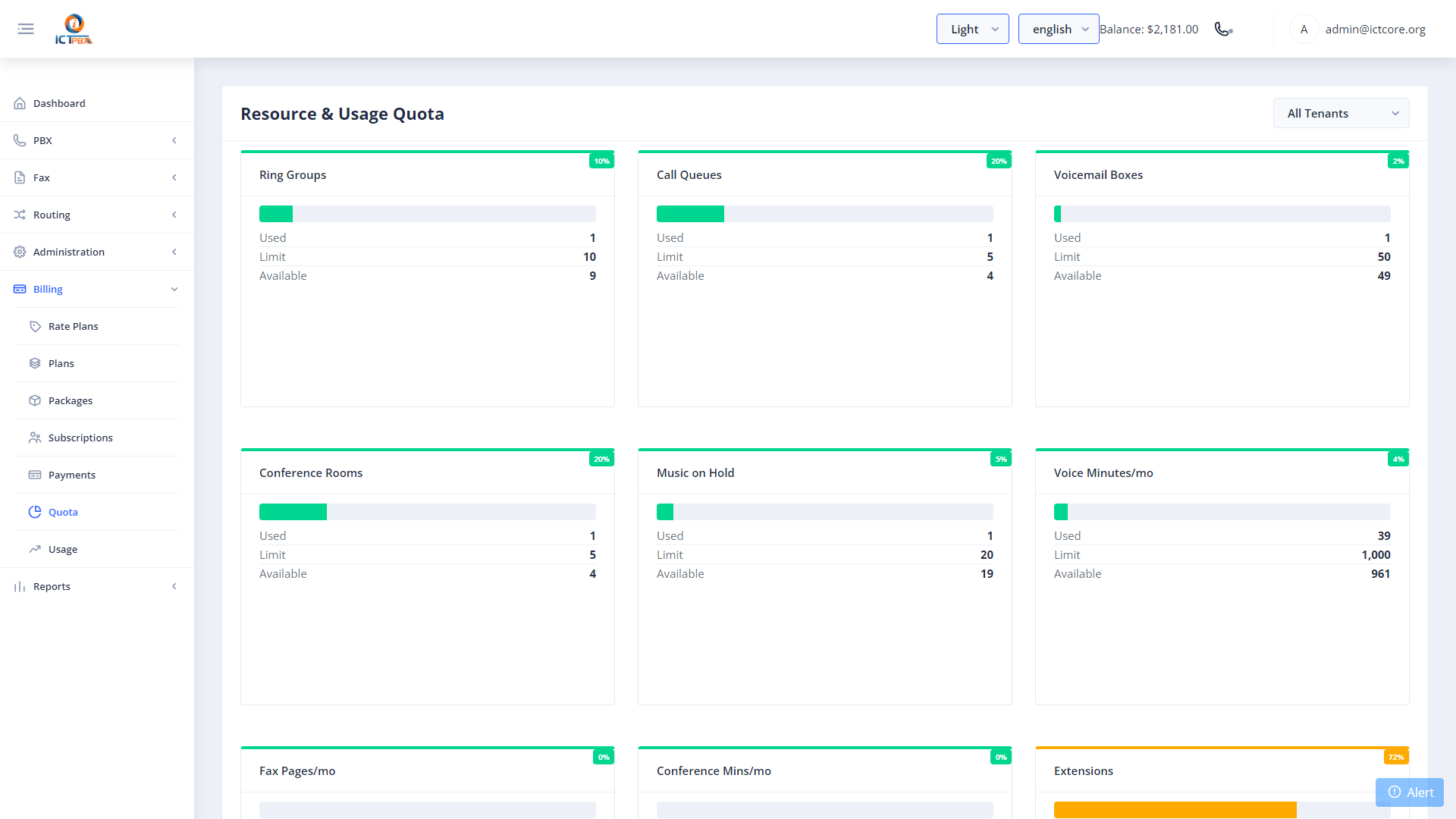
How Billing Works
- Resource Packages – your Super Admin assigns your tenant a service package that sets slot limits for extensions, devices, queues, and other resources, plus monthly free-tier minutes and fax pages
- Usage Above Free Tier – once you use your free minutes or fax pages, additional usage is automatically charged against your credit balance at the configured per-unit rate
- Monthly Reset – your usage quota resets at the start of each billing period automatically
- Slot Enforcement – when you hit a resource limit, ICTPBX blocks creation of that resource type and shows a clear error message
Credit Balance
Your current credit balance shows in the portal header and updates every 10 seconds. When your balance runs low, contact your service provider to add credit. Payments appear in your billing history immediately.
Super Admins manage packages, subscriptions, payments, and rate plans from the System Admin section. See Billing Packages and Billing Subscriptions.
Related Features
- Billing Packages – Super Admin creates service tiers
- Billing Subscriptions – Super Admin assigns packages to tenants
- Billing Payments – Super Admin records credit payments