
Super AdminTenant Admin
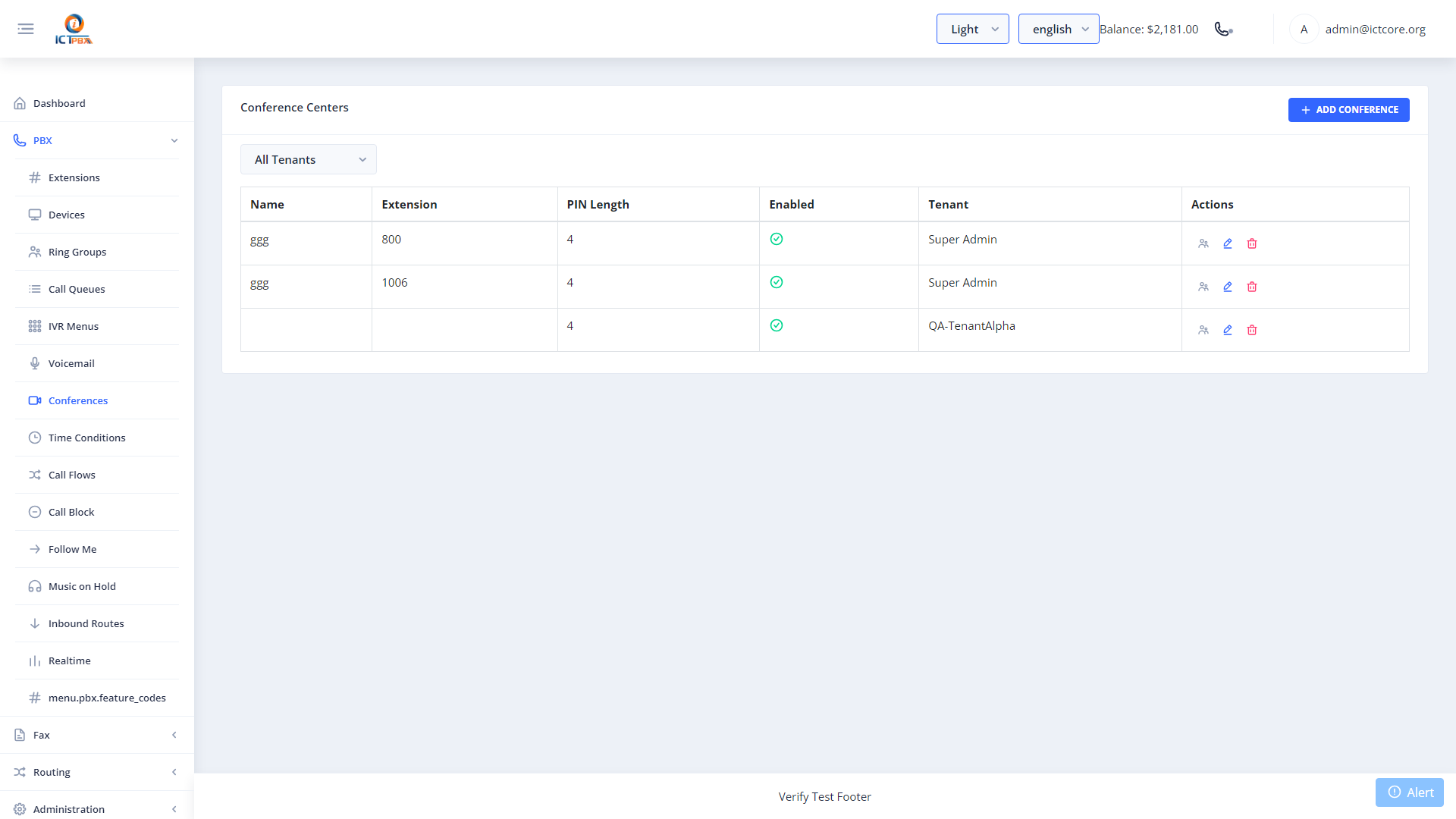
Conference rooms give multiple participants a shared audio bridge. Everyone dials the same extension number to join the call. You can set a PIN length and a greeting, and you can mute or kick live participants from the portal.
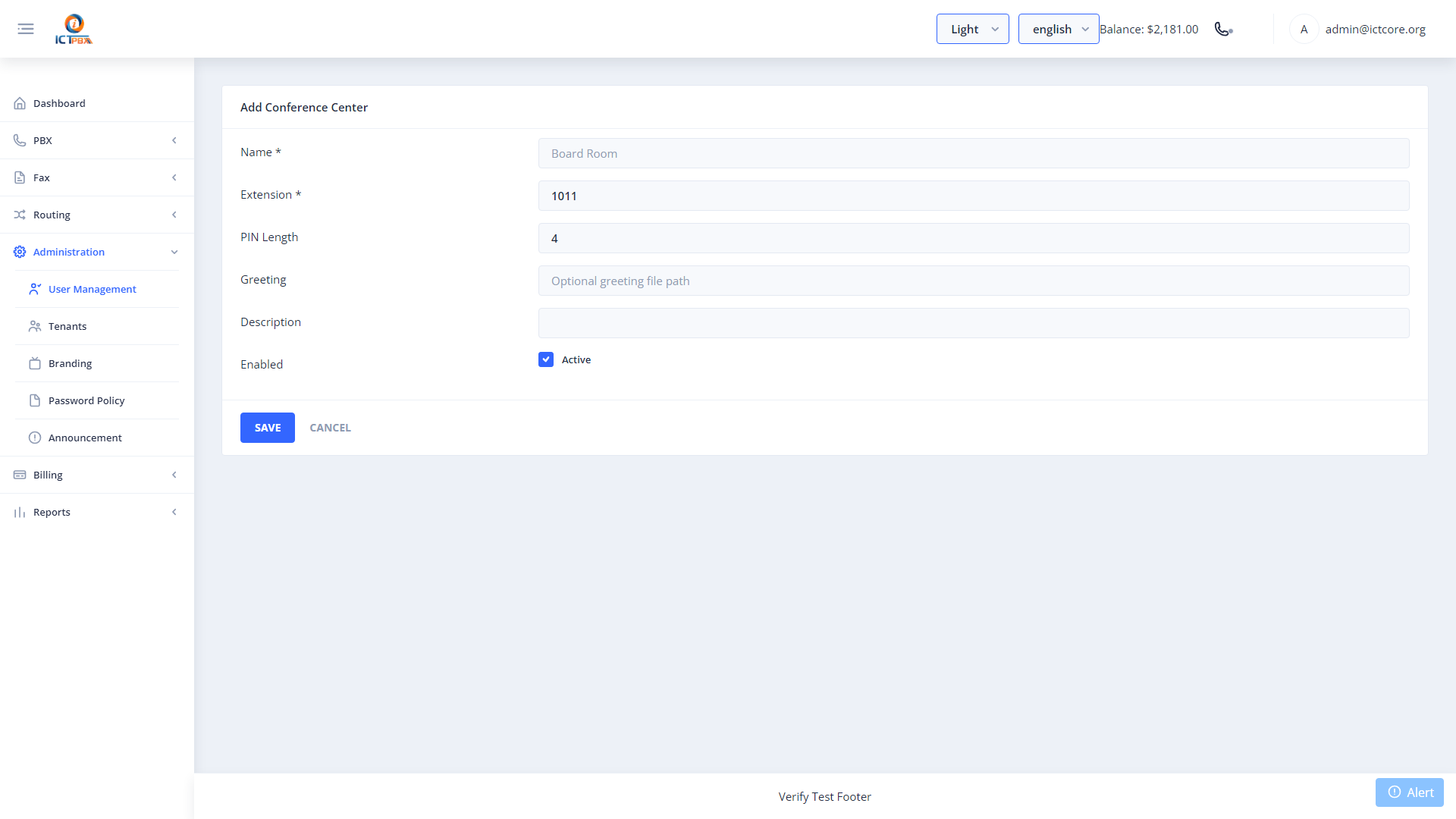
Creating a Conference Room
- Go to PBX › Conferences
- Click Add Conference
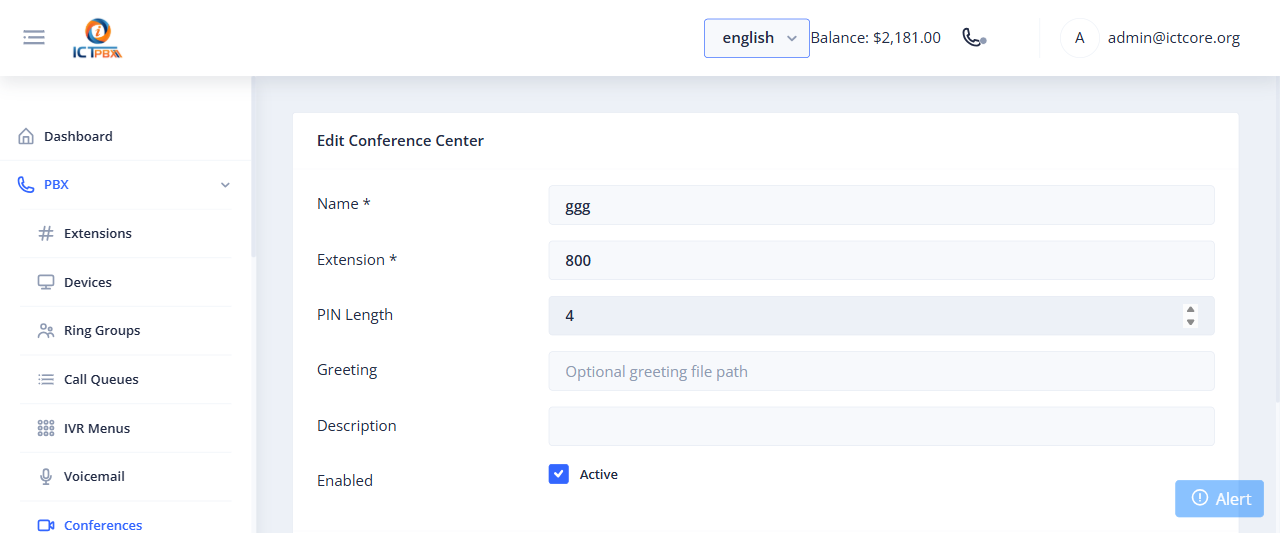
- Set the room name and extension number
- If you like, set a PIN Length and pick a greeting file
- Click Save
Live Participant Management
While a conference is in progress, click the Live Participants icon on the room’s row to see who’s connected. You can mute, unmute or kick any participant from there. You don’t need CLI access.
Conference room extension numbers must be unique across all PBX resources in your tenant domain.
Related Features
- Inbound Routes – inbound routes can’t target a room directly, so send the DID to an IVR menu that leads to it
- Realtime Monitor – see active conference channels alongside all other live calls