
Super AdminTenant Admin
Gateways (SIP trunks) connect your ICTPBX installation to the public telephone network through your VoIP provider. You configure the provider’s SIP server address, credentials, and routing parameters here – and ICTPBX updates FreeSWITCH automatically on every save.
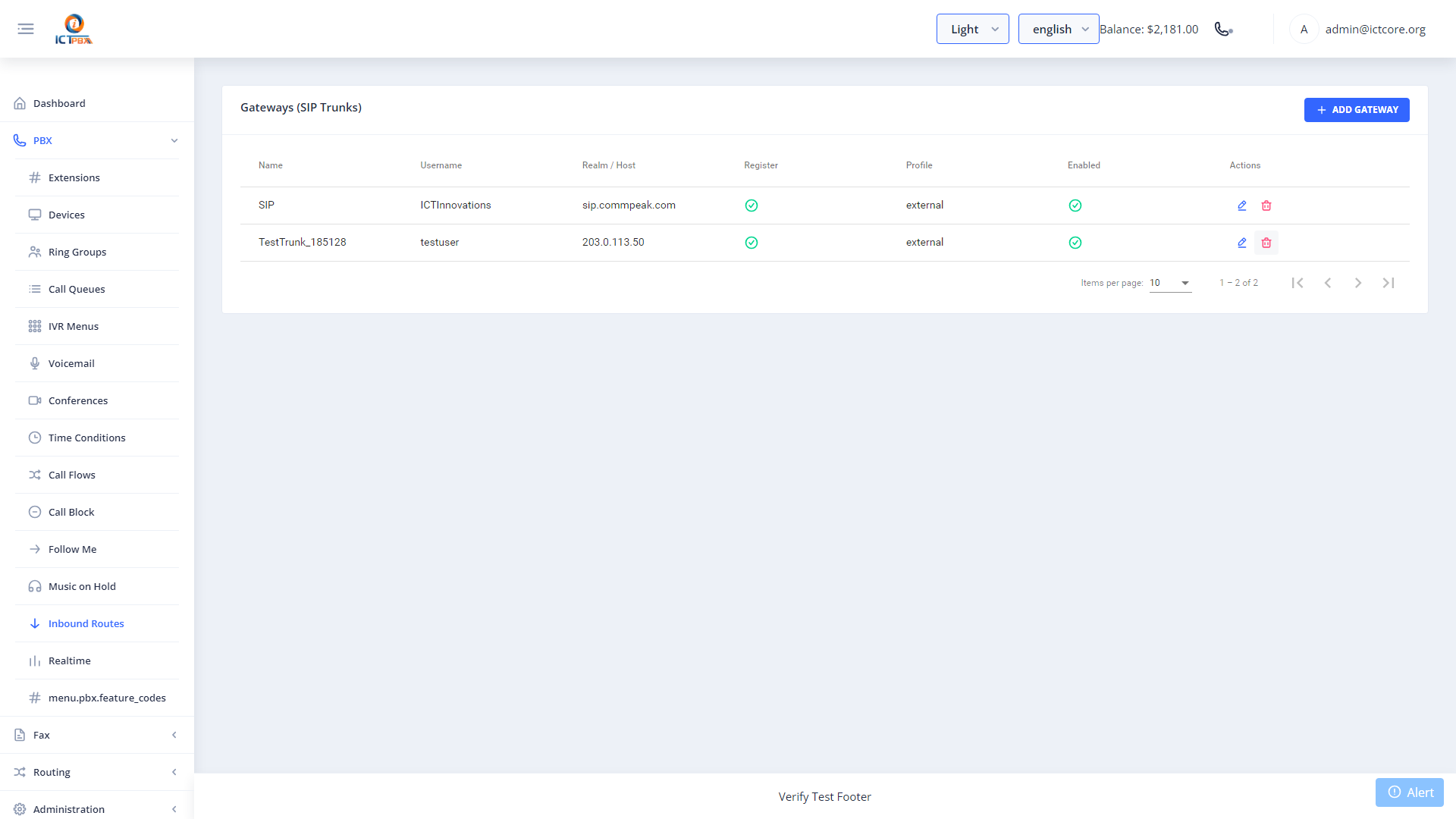
Adding a Gateway
- Go to Gateways in the sidebar
- Click Add Gateway
- Enter the gateway name and your VoIP provider’s SIP server address
- Enter the SIP username and password from your provider account
- Set codec preferences and concurrent call limits
- Configure routing parameters as needed
- Click Save – FreeSWITCH reloads the SIP profile automatically
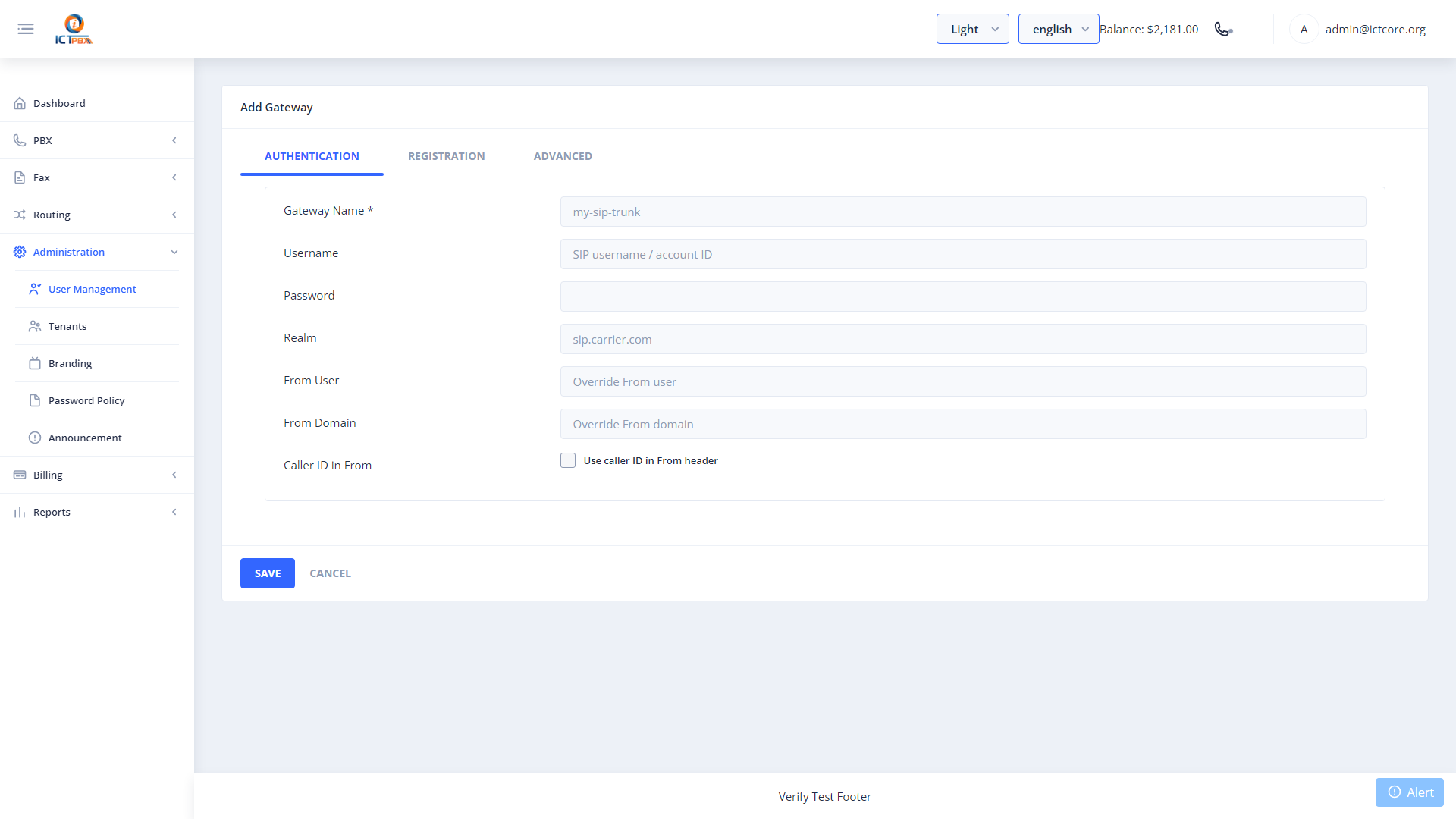
You can add multiple gateways and configure outbound routing to use them in priority order – useful for failover or for routing international calls through a different provider.
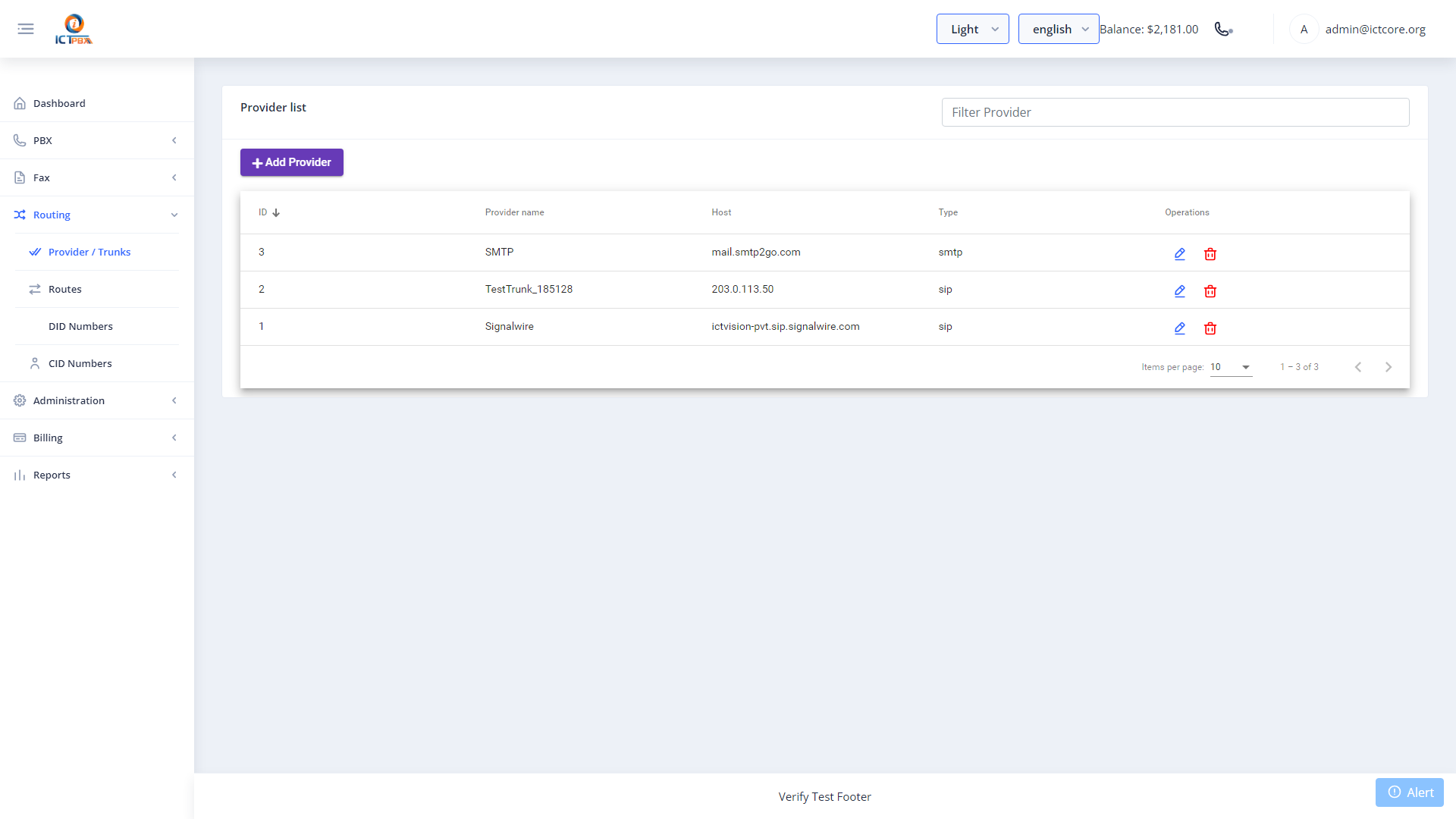
Super Admin Gateway View
Super Admins see all gateways across all tenants in a single list. This view shows which gateways are system-level (shared) versus tenant-level.
Related Features
- Inbound Routes – route calls arriving on DIDs from this gateway
- DID Numbers – assign DID numbers from this provider to tenants