
ICTPBX Feature
Feature Codes
Feature codes are short star-codes you dial from a phone. Two of them work on ICTPBX: dial *99 followed by your mailbox number (for example *991001) to check voicemail, or *99 on its own to reach the AI Voice Agent when it's installed. You can dial them from any registered desk phone or the browser softphone.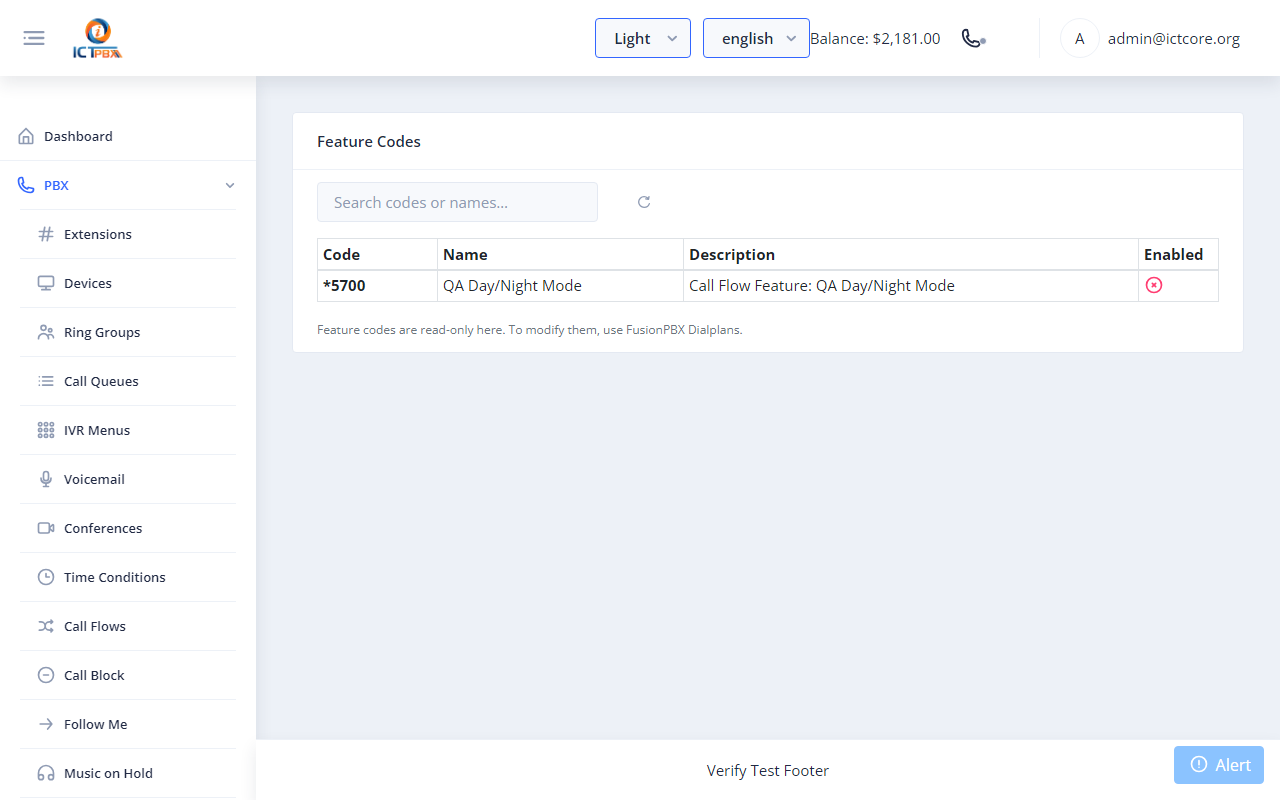
Do Not Disturb and call forwarding don't use codes. You set them in PBX → My Extension, so there are only two codes your team needs to know.
What you get
Voicemail and mailbox
Dial *99 plus the mailbox number (for example *991001) from a registered phone to hear your messages.Do not disturb and forwarding
Turn DND on or off and set call forwarding in PBX → My Extension. There are no star-codes for these.AI Voice Agent
Dial *99 on its own to reach the AI Voice Agent, if your system has it installed.One reference for the team
PBX → Feature Codes is a read-only reference page. It lists the dial codes on your system, but it doesn't prove a code is active.Frequently asked questions
Where do I find the list of codes?
Go to PBX → Feature Codes in the portal. It's a read-only list. The codes that work are *99 plus a mailbox number for voicemail, and *99 for the AI Voice Agent.
Can I change the codes?
No. Feature codes follow the platform dialplan, and the Feature Codes page is a read-only reference.
Do feature codes work on the webphone?
Yes. Any registered endpoint can dial them, including the browser softphone.
Is there a code to transfer or pick up a call?
No. To transfer, use the Transfer button in the browser softphone or your desk phone's own transfer key.