
ICTPBX Feature
Feature Codes
Feature codes are short star-codes you dial to control calls without opening a menu. On ICTPBX you press codes like the voicemail code or a transfer code mid-call, and the PBX runs the action at once. They work from any registered phone, desk handset or webphone alike.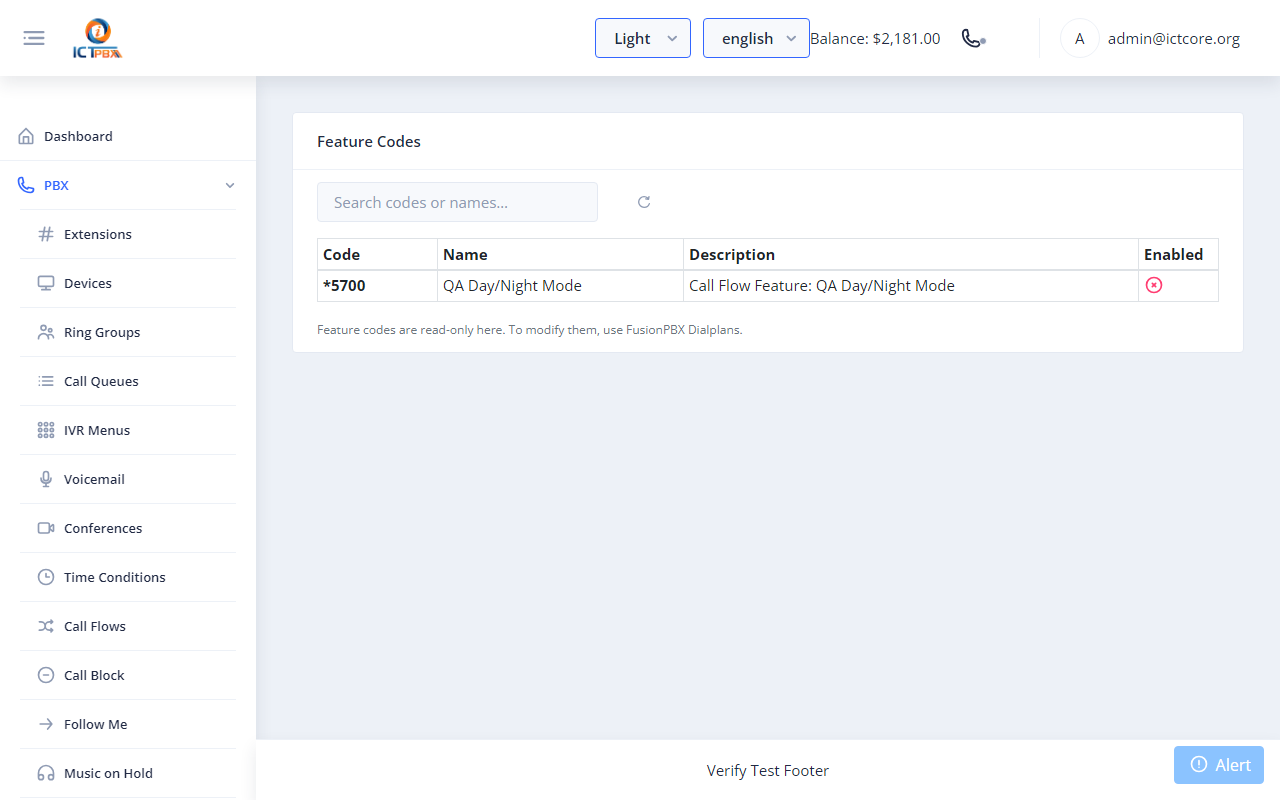
Feature codes give your team fast keyboard-free shortcuts for the actions they repeat all day. New staff learn the handful they need, and the rest are there when they want them.
What you get
Voicemail and mailbox
Dial your voicemail code to hear messages, record greetings, or check a mailbox from any extension on the system.Do not disturb and forwarding
Turn DND on or off, or set call forwarding, with a quick code instead of digging through settings.Transfers and pickup
Move a live call with a blind or attended transfer code, or grab a ringing colleague's call with call pickup.One reference for the team
The feature codes screen lists every code in one place, so staff can learn the shortcuts that matter to them.Frequently asked questions
Where do I find the list of codes?
The Feature Codes page in the portal shows every active code and what each one does.
Can I change the codes?
Feature codes follow the platform dialplan. Your administrator manages which codes are active.
Do feature codes work on the webphone?
Yes. Any registered endpoint can dial them, including the browser softphone.
What can I do during a call?
You can start a blind or attended transfer, and other in-call actions, using the matching codes.