
Zero-Touch Provisioning
Zero-touch provisioning lets your IP phones configure themselves. When a desk phone boots, it fetches its SIP credentials and settings from ICTPBX by MAC address, so a whole fleet of handsets comes online without anyone editing a single phone. You add each phone in the portal and bind a Line to an extension. Then you point DHCP option 66 at the server once, plug the phones in, and they register.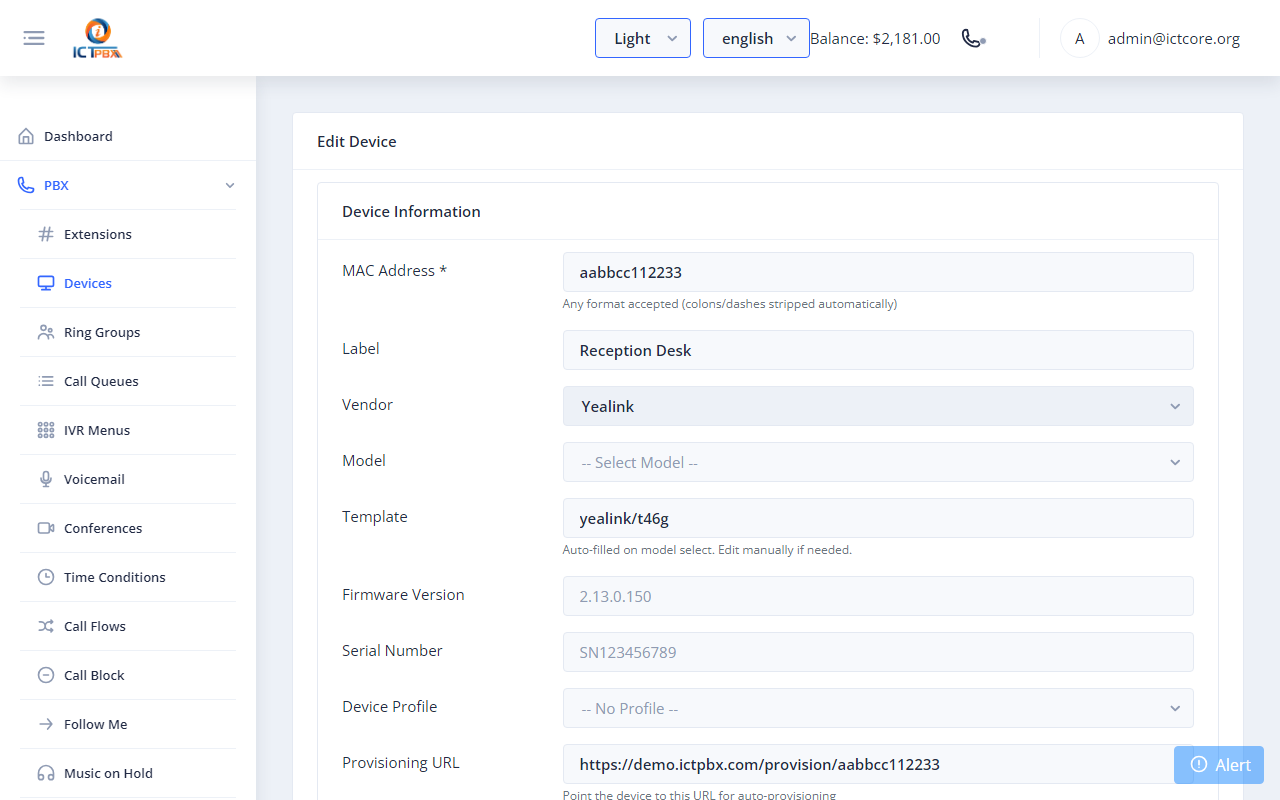
https://<your-host>/provision/<mac>, that the phone fetches on boot.For an IP PBX software platform that runs many tenants, hand-configuring phones does not scale. Zero-touch provisioning turns a stack of new handsets into a working phone system in minutes, whether you set up five desks or five hundred.
What you get
Provision by MAC address
Add the device under PBX → Devices with its MAC address, vendor and model, and save it. Open it again, click Add Line and pick the extension. On boot the phone pulls the config for its MAC and registers on port 5080. A device with no line gets a blank config and never registers.Roll out a whole fleet
DHCP option 66 hands every phone the provisioning URL. New phones on the network find ICTPBX on their own, so onboarding 5 or 500 desks takes the same effort.Vendor and model aware
Pick the vendor and model when you add a device. ICTPBX uses its built-in template for that hardware. The SIP account comes from the Line you bind to an extension.Stays in sync
Change an extension or password in the portal and the phone picks up the update on its next provisioning cycle. Provisioning also sets the phone's admin password, so if you change it on the phone, it gets reverted.Frequently asked questions
Phones that support HTTP provisioning and have a built-in ICTPBX template. You'll see the supported vendors and models when you add the device.
No. Once DHCP option 66 points to ICTPBX, phones fetch their config on boot. You only add the device and its Line in the portal.
It is the network setting that tells a phone where to find its provisioning server. You set it once on your router or DHCP server. The phone then fetches https://<your-host>/provision/<mac>, with the MAC in lowercase and no separators.
Yes. Each tenant adds devices under their own account, and the platform keeps every tenant's handsets separate.