
Super AdminTenant Admin
The Activity Log records every significant action taken in the ICTPBX portal – logins, configuration changes, billing events, and API calls. It’s your audit trail for compliance, troubleshooting, and security reviews.
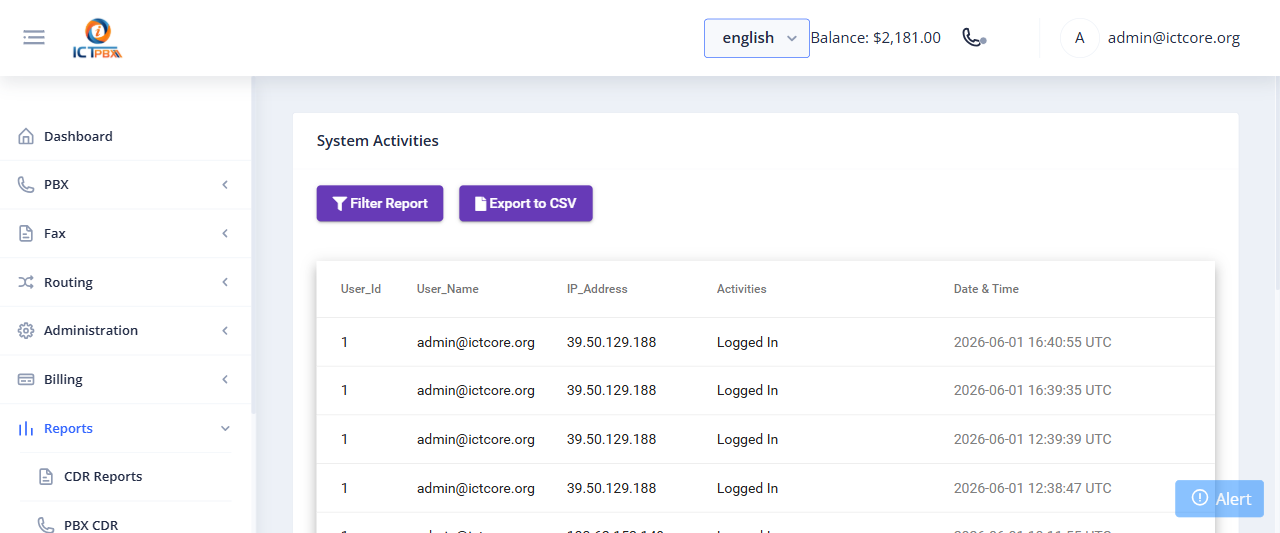
Viewing the Activity Log
- Go to Reports › Activity Log
- Filter by date range, user, tenant, or action type
- Click Search to load matching entries
What Gets Logged
- User logins (successful and failed)
- Extension, user, and PBX resource creation, edits, and deletions
- Billing events – subscription changes, payments, credit deductions
- Branding and configuration changes
- API calls made by tenant users
Each log entry records the timestamp, the user who performed the action, the tenant scope, the action type, and any relevant data. You can’t delete or edit log entries – they’re immutable.
Compliance Use
If your tenants are in regulated industries (healthcare, finance, legal), the Activity Log provides the documentation trail that compliance audits require. You can export filtered log results to CSV for inclusion in audit reports.
Related Features
- PBX CDR Reports – call records separate from portal actions
- ICTCore CDR – API-layer activity records