
Super AdminTenant Admin
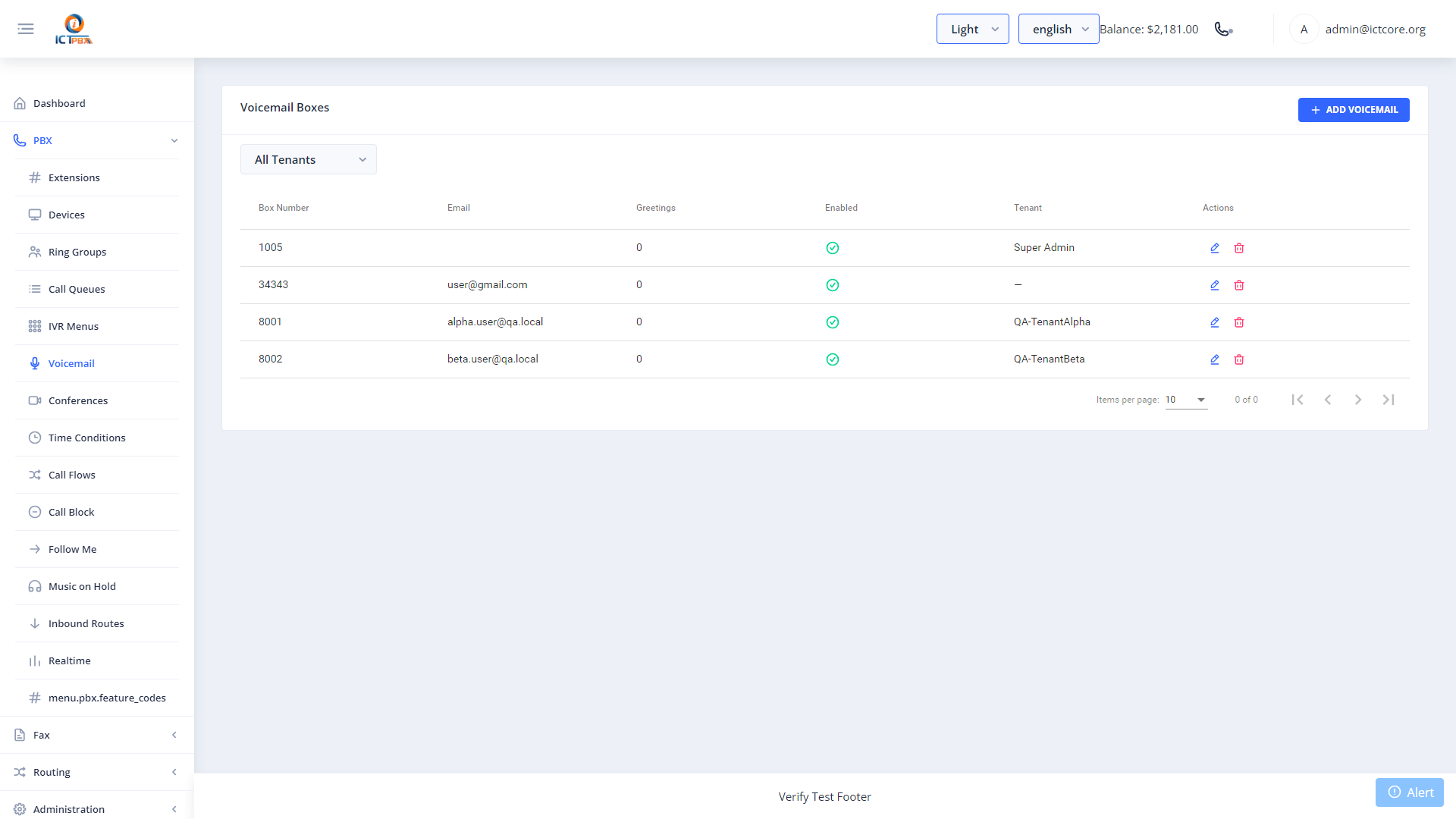
ICTPBX voicemail boxes store messages for individual extensions and send email notifications with the recording attached as an audio file. You manage voicemail boxes from this screen – including PIN, email delivery, and greeting uploads.
Adding a Voicemail Box
- Go to PBX › Voicemail
- Click Add Voicemail Box
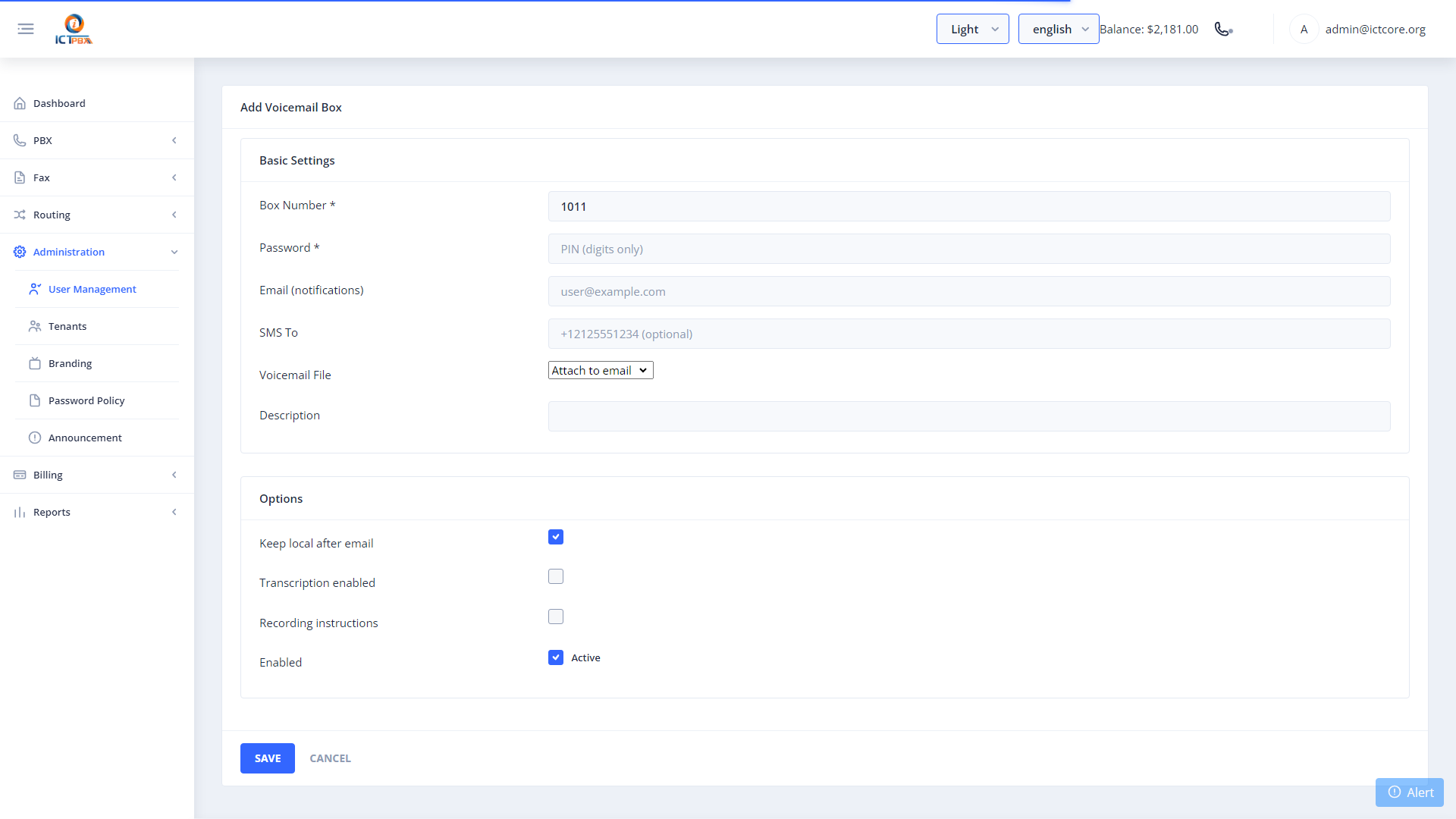
- Select the extension to attach the box to
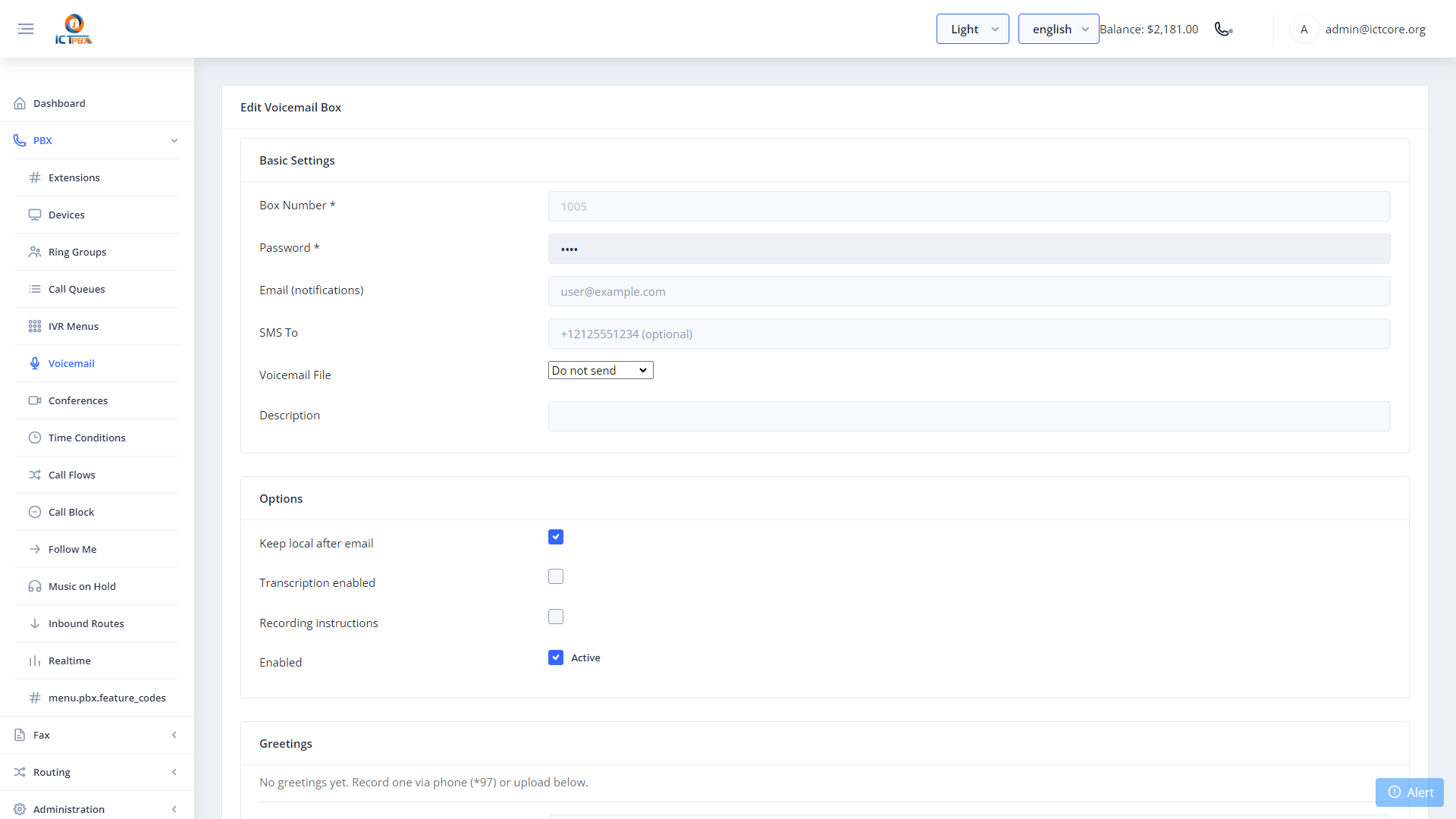
- Set a voicemail PIN (used when calling *98 to check messages)
- Enter the email address for message notifications
- Enable Email Attachment to receive the recording as an audio file
- Click Save
To retrieve messages by phone, dial *98 from any extension in the tenant. You’ll be prompted for your extension number and PIN.
Uploading a Custom Greeting
Click the greeting icon next to a voicemail box to upload a pre-recorded audio file as the voicemail greeting. Supported formats include WAV and MP3. The greeting plays to callers before they leave a message.
Package Quotas
Your service package includes a voicemail box slot limit. Contact your Super Admin to upgrade if you run out.
Related Features
- Extensions – voicemail PIN can also be set on the extension form
- Feature Codes – dial *98 to retrieve voicemail by phone