
Super Admin
Announcements let you push notifications to users in the ICTPBX portal. When you publish an announcement, it appears to targeted users the next time they log in – useful for maintenance windows, feature update notices, or operational alerts.
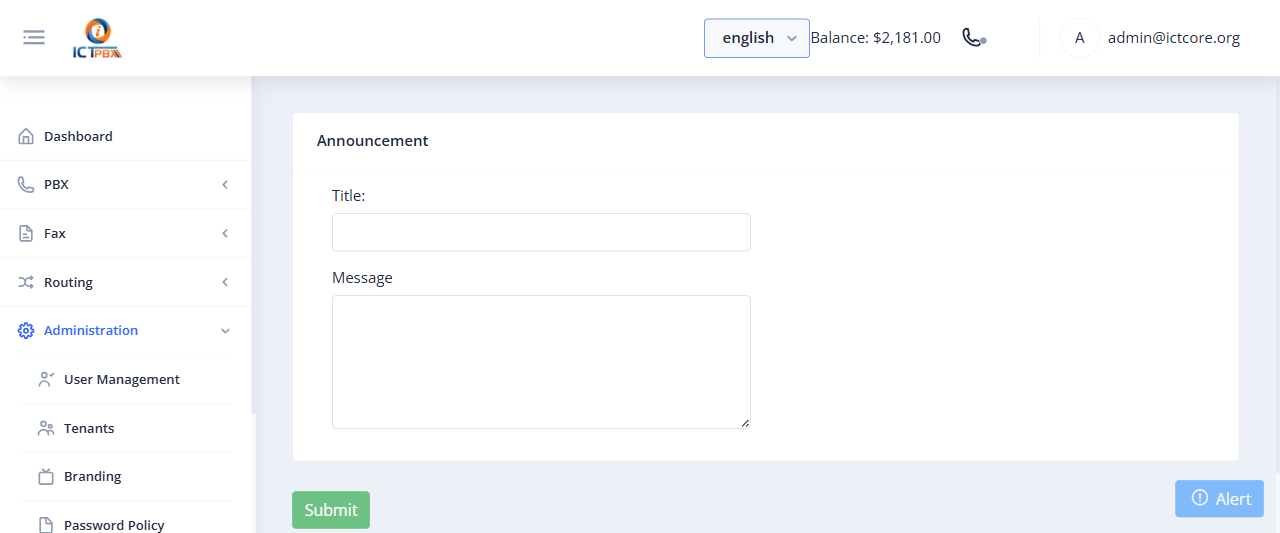
Creating an Announcement
- Go to Administration › Announcements (Super Admin only)
- Click Add Announcement
- Write your announcement content (rich text supported)
- Set the target audience: all users, specific tenants, or specific roles
- Set a start and end date for the announcement’s visibility window
- Click Publish
Announcements are visible to the targeted audience on login during the active date window. After the end date passes, the announcement no longer shows.
Use Cases
- Planned maintenance: “The system will be unavailable on Saturday from 2-4am for scheduled maintenance”
- Feature launches: “New WebRTC softphone is now available – click the phone icon in the header”
- Billing reminders: “Your subscription renews on June 1st”
- Operational notices for specific tenants without emailing everyone
Related Features
- Activity Log – track all portal actions including announcement views